
Cloudways is a managed cloud hosting platform founded in 2011, headquartered in Malta, and acquired by DigitalOcean in 2022. It lets you deploy websites on infrastructure from major cloud providers — AWS, Google Cloud, DigitalOcean, Vultr, and Linode — without having to configure a server from scratch yourself. In this review, we cover what Cloudways actually offers in 2026: features, pricing, pros and cons, how it compares to other managed hosts, and who it’s really built for.

What Is Cloudways?
You pick a cloud provider and a configuration, and Cloudways handles the technical management (setup, security, backups, monitoring) so you can focus on your website or application. The platform supports one-click deployment for WordPress, WooCommerce, Magento, Laravel, Drupal, and other PHP applications, is used by more than 100,000 businesses worldwide, and is rated the #1 SMB Hosting Provider on G2 with a 4.7/5 rating.
Key Features
Multi-cloud, no vendor lock-in: Choose AWS, Google Cloud, DigitalOcean, Vultr, or Linode depending on your performance and budget needs, with 50+ data centers worldwide so you can pick a location closest to your audience.
Cloudways Lightning Stack: Cloudways’ own performance-optimized stack, advertised to speed up page load times by up to 65% compared to standard hosting.
Enterprise-grade security: Built-in Imunify360 firewall, malware scanning, free SSL certificates, and scheduled automated backups (hourly or daily depending on the plan).
Copilot AI: An AI assistant that automatically detects issues and monitors your server, reducing manual work for less technical users.
Free migration & staging: A free website migration service, plus one-click staging environments to test changes before pushing them live.
CDN integration via Cloudflare: Helps speed up content delivery globally (note: CDN isn’t bundled free on the base plan — it’s billed based on usage).
24/7 support from real humans: Cloudways advertises an average live chat response time of around 90 seconds, backed by a 99.99% uptime SLA.
Cloudways Pricing (2026)
Cloudways offers two main product lines (check current live pricing here, as plans occasionally change):
Cloudways Flexible (customizable infrastructure, billed hourly or monthly) — for example, on DigitalOcean:
- Entry plan: starting at $11/month (2GB RAM, 1 vCPU, 50GB storage, 2TB bandwidth)
- Most popular (Medium): $88/month (8GB RAM, 4 vCPU, 160GB storage, 5TB bandwidth)
- Largest (8XL): $342/month (128GB RAM, 24 vCPU, 2560GB storage, 11TB bandwidth)
Cloudways Autonomous (fully-managed WordPress, minimal hands-on management): Growth plan from $99/month, Scale plan $199/month, Plus plan $399/month.
Cloudways bills pay-as-you-go, in arrears based on actual hourly usage, with a free 3-day trial that requires no credit card. Exceeding your plan’s bandwidth triggers overage charges (around $0.02/GB extra on DigitalOcean, for example).
Pros and Cons
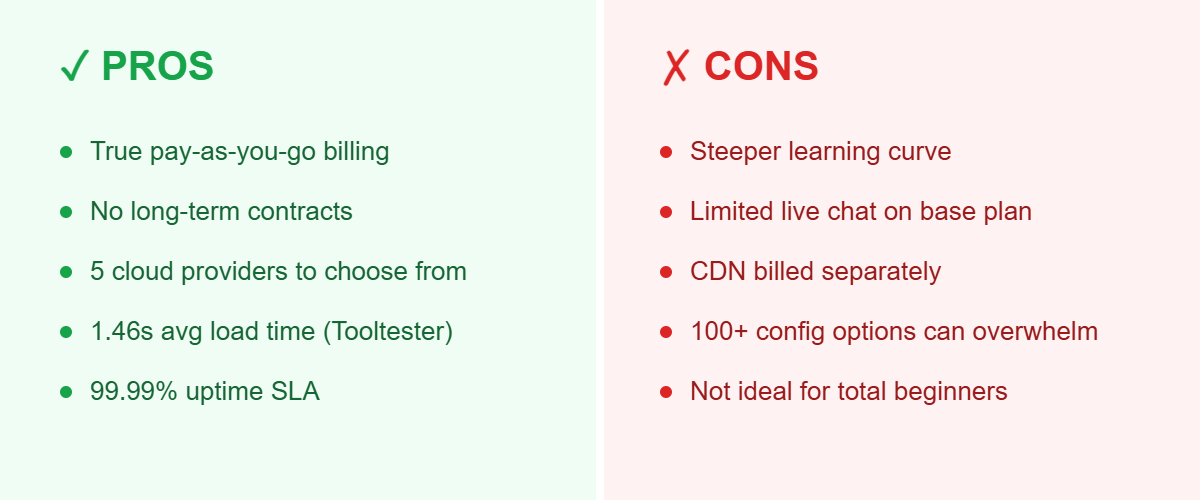
Pros: a true pay-as-you-go hourly model with no long-term contracts; you can resize your server configuration anytime based on actual traffic; an independent test by Tooltester recorded a page load time of around 1.46 seconds and 99.99% uptime; 100+ configuration options across 5 cloud providers, well suited for agencies or anyone managing multiple sites with variable traffic.
Cons: not built for complete beginners — the admin dashboard has quite a few technical options, which can lead to decision paralysis for users not used to managing hosting or servers; the entry-level plan has limited live chat support (around 15 minutes on the cheapest plan, per Tooltester); CDN isn’t included free on the base plan like some competitors offer.
Cloudways vs. SiteGround vs. Kinsta: Pricing Comparison
| Provider | Starting Price | Entry-Tier Resources | Model |
|---|---|---|---|
| Cloudways | From $11/month | 2GB RAM, 1 vCPU, 50GB storage, 2TB bandwidth | Pay-as-you-go, multi-cloud |
| Kinsta | From $30/month (annual) / $35/month | 1 site, 10GB storage, 125GB CDN bandwidth | Fixed monthly, WordPress-only |
| SiteGround Cloud | From $100/month | 4 CPU cores, 8GB RAM, 40GB SSD, 5TB transfer | Fixed monthly, WordPress-focused |
Cloudways has by far the lowest entry price and the most flexible billing (you only pay for what you use), which makes it attractive if you’re testing a new project or managing sites with unpredictable traffic. Kinsta and SiteGround bundle more done-for-you WordPress-specific tooling into a flat monthly fee, which can be simpler for non-technical users but costs more from day one.
Who Is Cloudways Best For?
Cloudways is best suited for agencies and freelancers managing multiple client websites, eCommerce/WooCommerce stores that need flexible infrastructure for seasonal traffic spikes, and developers or technically comfortable users who want control over cloud infrastructure without managing a server from scratch. If you just need a simple personal blog or have never managed hosting before, traditional shared hosting plans like Bluehost or Hostinger may be easier to get started with.
Frequently Asked Questions
Is Cloudways good for WordPress?
Yes — one-click WordPress installation, free staging environments, and a WordPress-specific “Autonomous” plan with fully-managed updates and support, alongside the flexible “Flexible” plan for more hands-on users.
Does Cloudways support WooCommerce?
Yes, WooCommerce is one of the supported one-click applications, and the pay-as-you-go bandwidth model can work well for stores with seasonal traffic spikes.
Can I migrate my existing website to Cloudways?
Yes, Cloudways offers a free migration service to help move your site from your current host.
Which cloud provider should I choose on Cloudways?
DigitalOcean is generally the most budget-friendly starting point for smaller projects, while AWS and Google Cloud offer more advanced scaling options for larger, high-traffic sites.
Is there a free trial?
Yes, a 3-day free trial that doesn’t require a credit card to sign up.

Verdict
Cloudways is worth considering if you need cloud-server-level performance without managing complex infrastructure yourself, especially for projects with variable traffic or a need for flexible scaling. Compared to fixed-price competitors like Kinsta and SiteGround, its pay-as-you-go pricing gives you more control over costs — though it does come with a steeper learning curve. With a free 3-day trial that requires no credit card, it’s a safe way to try it out before committing.